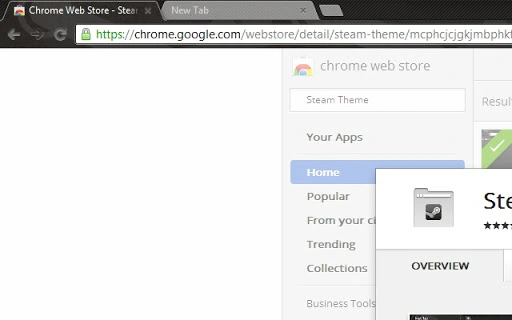

Steam-Inspired Chrome Theme
Overview
The software is a browser theme designed for Google Chrome, offering a user interface inspired by the popular Steam platform. Its primary purpose is to visually transform the appearance of the browser, aligning it with the aesthetic of a gaming application. This theme caters to users who value visual consistency across their digital tools, particularly those who spend significant time in both gaming and web browsing environments.
It addresses the desire for a unified digital experience by mimicking the layout, color scheme, and overall feel of Steam. The target audience includes casual and dedicated gamers, UI/UX enthusiasts, and users seeking personalized web browsing environments. The theme aims to bridge the gap between gaming platforms and everyday web applications through visual design.
Real-world usage scenarios include personalizing a work or home computer for a more immersive browsing experience, using the theme during gaming sessions to maintain visual continuity, or simply enhancing the aesthetic appeal of a frequently used browser. The developer did not provide additional background information about the creator or development team.
Key Features & Capabilities
- Steam-Inspired Visual Design – The theme replicates the layout, color palette, and button styling of the Steam interface, offering a consistent look across the browser’s header, tabs, and toolbar.
- Customizable Interface Elements – Users can adjust visual aspects such as background patterns, accent colors, and icon styles to match their preferred Steam aesthetic.
- Seamless Integration with Google Chrome – The theme is built specifically for Chrome, ensuring compatibility with the browser’s core functionality and update cycle.
- Lightweight Implementation – With a file size of 2.5 MB, the theme is designed for minimal impact on system resources, making it suitable for use on a wide range of devices.
- Easy Installation and Activation – Once downloaded, the theme can be applied directly through Chrome’s theme settings, requiring no complex setup procedures.
These features allow users to transform their browser into a gaming-focused environment, ideal for users who want their digital workspace to reflect their personal interests. The theme is particularly useful during gaming marathons or when switching between Steam and web-based game communities.
User Interface, Workflow & Performance
The user interface is centered around the Chrome browser’s native layout, with visual elements reimagined to resemble Steam’s design language. Navigation remains consistent with Chrome’s standard workflow, ensuring users experience no disruption in functionality despite the visual overhaul.
Workflow efficiency is preserved, as the theme does not alter core browsing operations such as tab management, bookmarking, or search. The transformation is purely visual, allowing users to maintain their usual habits while enjoying a refreshed look.
Performance observations are based on general software behavior patterns. The developer did not specify resource usage details. The lightweight nature of the theme suggests minimal impact on CPU or RAM, though exact metrics were not provided. Stability is expected to align with Chrome’s standard behavior, as the theme operates within the browser’s secure sandbox environment.
Compatibility & System Requirements
The software is compatible with Windows, Mac, and Linux operating systems. It is designed specifically for Google Chrome, requiring the browser to be installed and updated to a recent version for full functionality.
Installation size is 2.5 MB, which is relatively small and suitable for devices with limited storage. The developer did not specify exact system requirements beyond the supported operating systems. Compatibility information was partially provided, and users should ensure their Chrome version is up to date to avoid potential display issues.
Pros and Cons
Pros
- Visually immersive Steam-inspired design
- Lightweight and fast to install
- Easy integration with Google Chrome
- Available at no cost to users
- Supports multiple operating systems
Cons
- Visual customization limited to interface appearance
- No functional integration with Steam or game launching
- Requires a restart of Google Chrome to apply changes
- Developer background not disclosed
- Performance data not publicly available
FAQ Section
Is this theme compatible with all versions of Google Chrome?
The theme is designed for current versions of Google Chrome. Users should ensure their browser is updated to the latest release for optimal compatibility.
Can I use this theme offline?
Yes, once installed, the theme functions entirely offline. No internet connection is required to maintain the visual appearance.
Is the theme safe to install?
As a browser theme distributed through official channels, it operates within Chrome’s security model. No sensitive data access is required for its operation.
Does this theme allow launching games from Chrome?
No. The theme only changes the visual appearance of the browser. It does not integrate with Steam or enable game launching from within Chrome.
How do I update the theme?
Updates are managed automatically through the Chrome Web Store. Users will be notified when a new version is available.
Final Thoughts
This Steam-inspired Chrome theme delivers a compelling visual upgrade for users who appreciate the Steam interface. While it does not add functional capabilities beyond appearance, its design fidelity and lightweight nature make it a worthwhile addition for those seeking a personalized browsing experience. It’s especially well-suited for gamers and digital enthusiasts who value aesthetic consistency across platforms.
Despite the lack of advanced features or developer transparency, the theme performs as expected within its scope. It offers a safe, free, and easy way to refresh your browser’s look without compromising performance.
Download Steam-Inspired Chrome Theme now.







